
Tagging & Deposit Reviews
Traditional wallets reuse one address, so your wallet slowly turns into a public financial profile.
Anyone who knows that address can inspect what came in, what stayed there, which apps you used, and where funds went next. Even someone you pay can look back at the address you paid from and see the rest of its history.
Cloaked changes the default by giving each receive a fresh address controlled by your account. One receive does not have to expose the rest of your wallet.
But fresh addresses only stay separate until they are used together. When you send, swap, or bridge, Cloaked defaults to using the addresses it needs to construct a transaction for the amount you chose. If an action uses several addresses, those addresses become linked onchain.
Deposit Review is the command center for managing that trade-off.
It highlights new inbound funds, lets you add private tags like Payroll, Cold storage, or Ledger, and helps you recognize what each balance represents before you spend it or make it private.
Tags are a privacy-preserving way to keep granular control over your fresh-address funds.
The Workflow
1. Receive
New receives are highlighted in Cloaked. The Review page badge shows how many receives need attention, and the amber dot marks a specific receive that needs review.
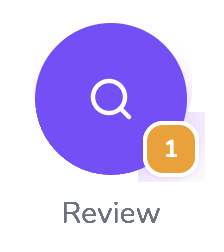
The Review page badge means there are receives waiting for review.
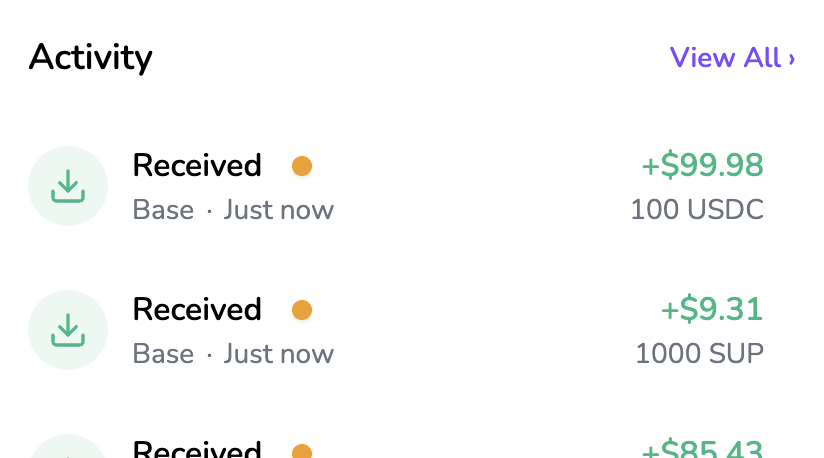
A fresh receive can be separate onchain, but it still needs a decision from you.
2. Review Your Inbound
The Review page collects new inbound funds in one place. From there, you can add a tag, or if eligible, make funds private directly from the fresh address they landed at.
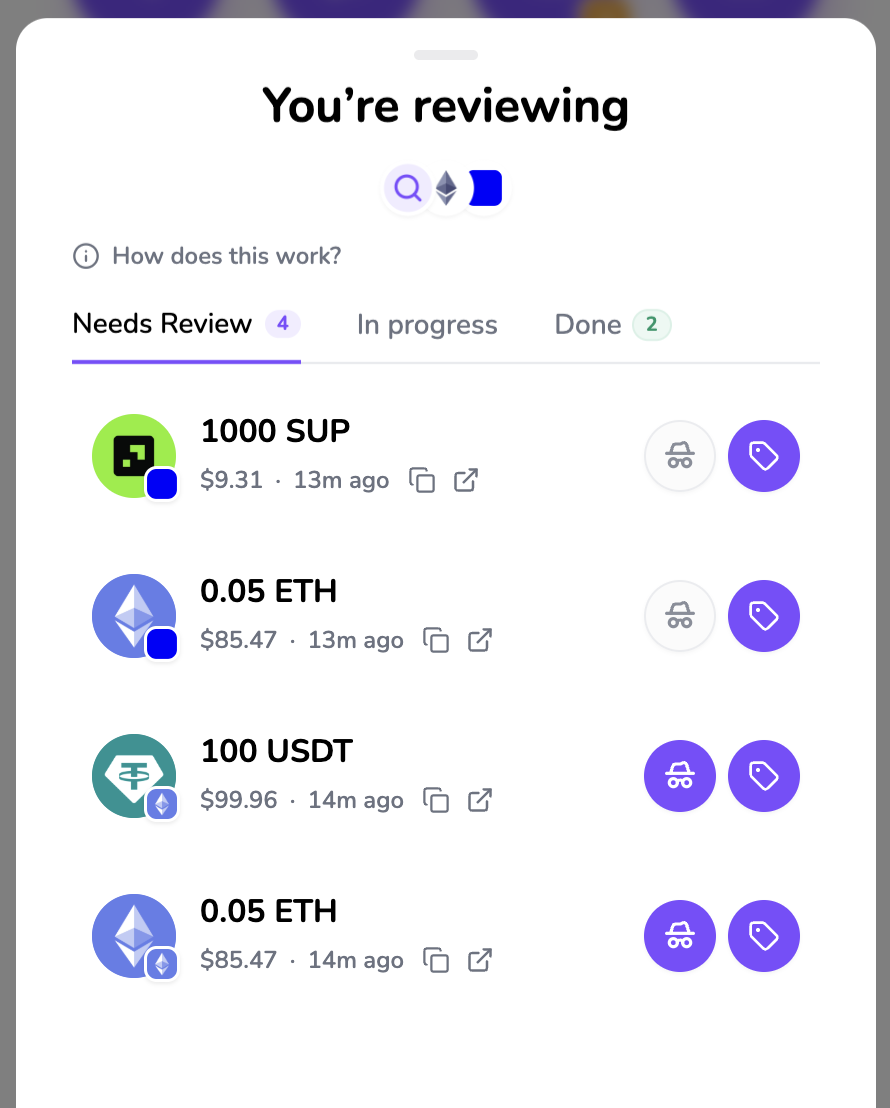
Review is the inbox for inbound funds.
3. Choose Funding Tags
When you take an action, Cloaked chooses the addresses needed to fund the amount. The Select tags button gives you more granular control before you approve.
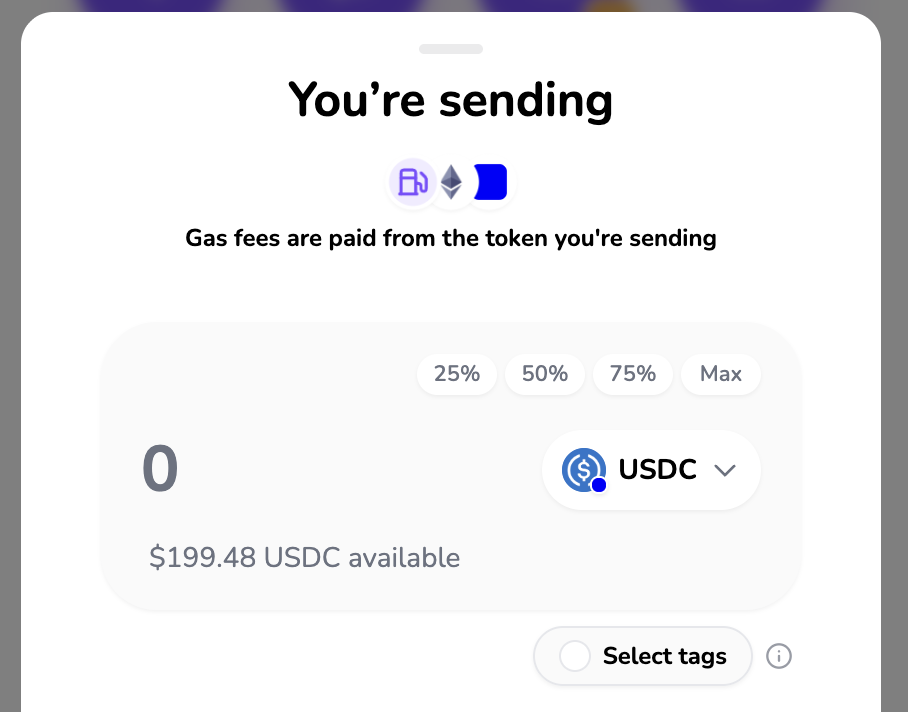
Select tags opens the funding controls for the action.
Choose the tagged balances you are comfortable using for that action.
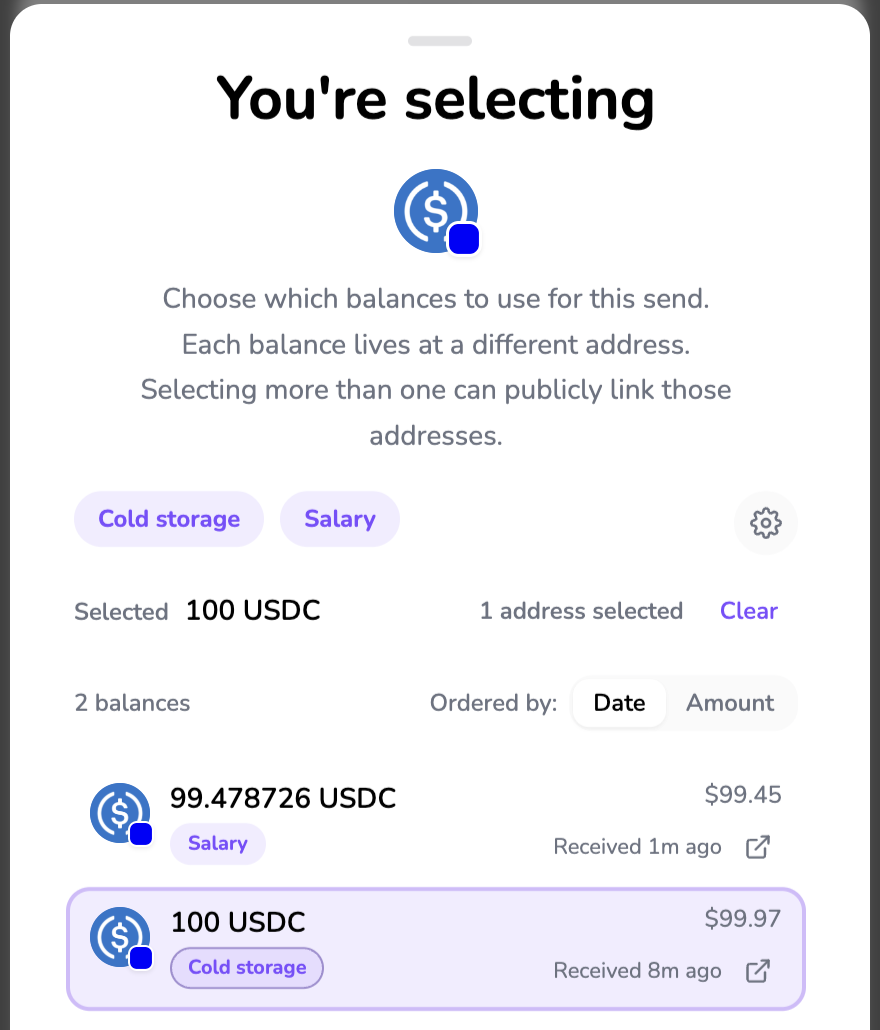
Each balance lives at a different address. Selecting more than one can publicly link those addresses.
4. Approve Onchain Action With Context
Before you approve, Cloaked surfaces the tag being used for the transaction. This keeps the address-linking choice visible at the moment you sign.
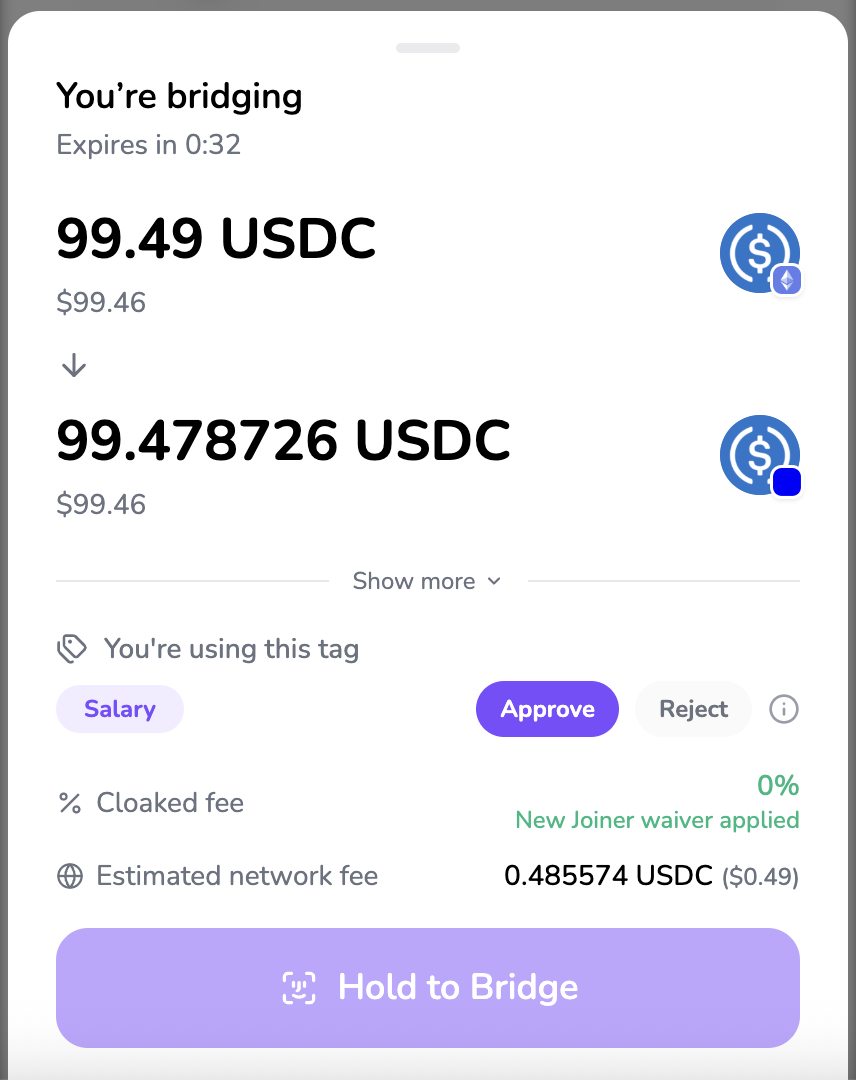
Tags stay visible before approval, so you know what source context you are using.
5. Understand Activity Later
After the transaction confirms, Activity keeps the associated tag visible. That gives you a running view of how your onchain footprint is forming over time.
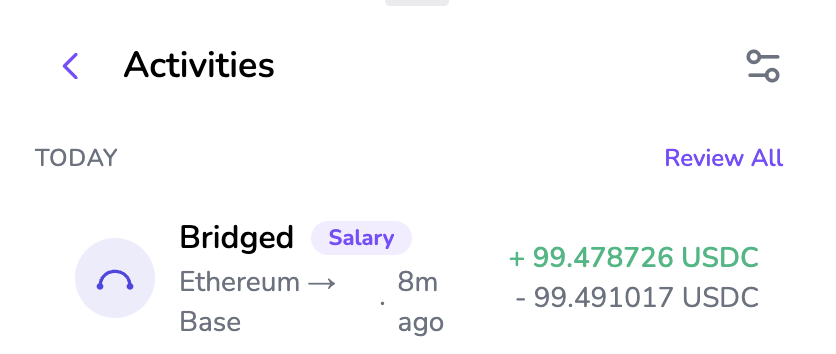
Activity shows the tags associated with completed actions.
Tags and Associations
Tags are not just a simple note on one deposit. Cloaked surfaces tags connected to a balance you hold when that connection can be proven.
That includes the receive address that directly funded a balance, and it can also include other tagged sources publicly associated with that balance. For example, addresses can become associated when they are used together in one action, when funds were previously combined, or when receives share the same address.
The goal is to show the onchain footprint around a balance, not just the first deposit that created it.
A tag is attached to the Cloaked receive address where funds originally landed. If several receives land at the same address, they share that tag because the chain already links them through that address.
When Cloaked can prove that current funds came from a tagged receive address, the tag can follow those funds through actions you take in Cloaked, such as sends, swaps, and bridges. If you combine funds from two tagged sources, Cloaked can show both tags for that balance, helping you keep track.
For example:
- Alice receives payroll at one fresh address and tags it
Payroll. - She receives funds from Cold storage at another fresh address and tags it
Ledger. - If she spends from only the payroll address, Cloaked can show that source as
Payroll. - If she spends from both addresses together, those sources are now linked by that transaction, so Cloaked can show
Payroll + Ledger.
Tag Privacy
Tag names are encrypted before they are saved. The readable text stays protected by keys from your Cloaked account. The server stores encrypted tag data, not the readable tag.
Cloaked can still see the addresses, transactions, and encrypted tag records it stores for your account. The private part is the tag text itself.
You can clear or edit a tag later. Editing a tag updates the tag for that receive address, not for one individual token row.
Review States
Needs review means Cloaked found new received funds that can be tagged but do not have a user tag yet. This is the normal first state for a new fresh receive.
In progress means a privacy pool deposit is underway, waiting for approval, or needs attention after a rejection. Until that process finishes or funds are recovered, the review item stays active.
Done means the receive has been tagged or the privacy pool deposit has been approved. Older tagged receives may also appear as done so you can still see their tags in context.
Privacy Pools Origin Tag
Cloaked may show a Privacy Pools system tag when a balance came directly out of a supported privacy pool. The withdrawal breaks the public onchain link to the earlier deposits.
The tag describes where the current balance came from. It does not mean a later send, swap, bridge, or self-send is private. As soon as the funds are moved again, the Privacy Pools tag disappears from the resulting balance.
Your own encrypted tags, contact tags, and app tags keep their normal behavior. The special one-step lifetime applies only to the Privacy Pools system tag.
Making Funds Private and Tags
This is separate from the Privacy Pools origin tag. It is about what happens to tags you added before funds are made private.
Making funds private creates a privacy boundary. The privacy pool breaks the visible onchain history between the address that entered the pool and the funds that later come out. Earlier address tags do not carry through the pool because that link is no longer visible onchain.
What Tags Are Not
Tags are for your own wallet control. They are not public claims.
Tags do not:
- make tag names public;
- prove what a tag means to anyone else;
- change what already happened onchain;
- stop public blockchains from showing transactions and balances.
If you spend from several receive addresses in one transaction, those addresses become linked onchain. Tags make that easier to see before and after it happens, but they do not erase the link.
How It Fits
Fresh receives start with address separation. Deposit Review helps you decide what happens next.
Use tags when you want to keep fresh-address funds understandable. Make funds private when eligible funds should move through a privacy pool before later spending. Together, they make the receive workflow easier to manage without creating a new wallet every time you want a fresh start.
See Privacy Pools for how private balances work.