Using Cloaked
Cloaked is a self-custodial wallet for fresh receive addresses and controlled sends.
Cloaked lets you receive funds at new addresses, see them in one wallet, and decide later which address-held balances should be used together. You always retain direct control of your funds.
- Web app: The primary Cloaked client. Register with a passkey or existing wallet, then send and receive with fresh stealth addresses from any browser.
- Browser extension: Connect a Cloaked address to supported Ethereum apps, review wallet requests, and keep Cloaked available from the Chrome toolbar or side panel. See Browser Extension.
- API: Programmatic access for server-to-server integrations, agents, and automated operations.
Open Cloaked App ↗
Registration
Registration takes three steps:
- Create a passkey or connect a wallet: A biometric prompt (Face ID, fingerprint, or Windows Hello) creates a passkey bound to Cloaked. Alternatively, you can connect an existing wallet (MetaMask, Rabby, etc.) and sign a message. Either way, this produces the secret used to derive your stealth address keys. See Authentication Methods for more on supported options.
- Authenticate: Cloaked performs Sign-In with Ethereum (SIWE) using an address derived from your private spending key. This happens automatically, and your identity and your original passkey or wallet address are never sent to the server.
- Choose your ENS subdomain: Pick a unique subdomain (e.g.
username.clkd.eth) that others will use to send you funds.
Receiving Funds
Each time someone sends funds to the username.clkd.eth name Cloaked gives you, or to a custom ENS name you linked to Cloaked, Cloaked can generate a fresh stealth address for that payment.
You can also share a direct payment page at <username>.clkd.id when you want a QR-code page. Developers can generate payment addresses through the API.
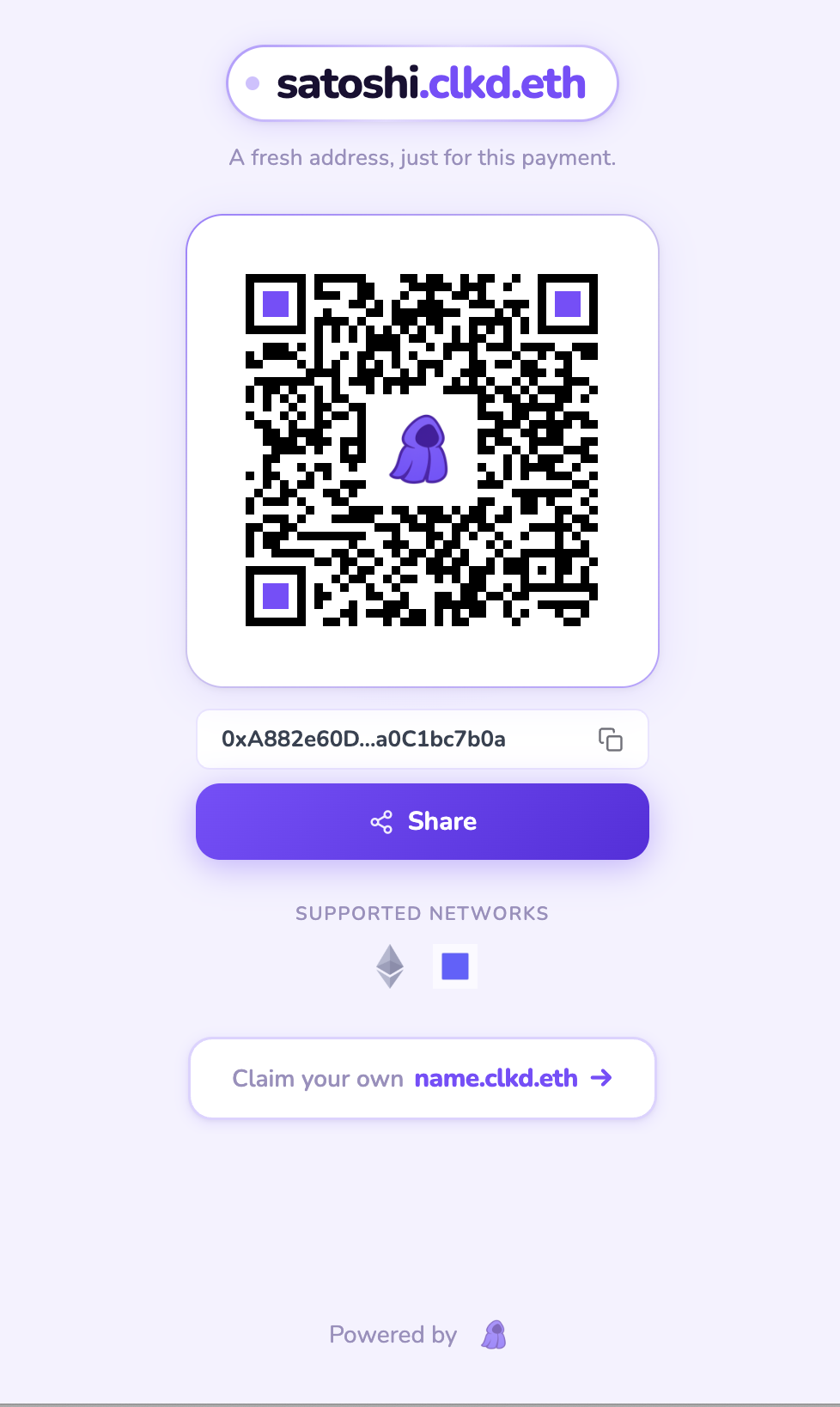
Example of the shareable payment page for satoshi.clkd.id
Your aggregated balance across all generated addresses is displayed automatically, so you always have a single view of your total funds.
Sending Funds
To send funds:
- Enter amount and destination: Select the asset and chain, enter the amount, and provide the destination address.
- Choose sources if needed: By default, Cloaked selects address-held balances automatically. Where Advanced Control is enabled, you can choose exact addresses before quoting.
- Review the quote: Cloaked selects enough address-held funds to cover the amount, calculates the required fees, and routes any change to a new stealth address.
- Confirm: Authenticate with your passkey (biometric prompt) or wallet to sign the transaction.
- Transaction submitted: Once signed, the transaction is relayed onchain.
Fees
Cloaked calculates transaction fees that include onchain gas costs. Fees are automatically calculated and displayed before you confirm any transaction, so you always know what you'll pay upfront.
How Fees Work
Fees include the cost of executing transactions on the blockchain. Cloaked uses Porto smart accounts, which require gas to execute actions.
Fees can be paid in-kind. For example, if you're sending a non-native token and your account doesn't hold the chain's native token, such as ETH or BNB, the token you're sending can be used to pay the transaction fee. This makes it easier to transact without maintaining a separate native-token balance for gas.
The gas fee comes from the token balance at the sending address, not another one of your addresses or a separate gas account. See Gas & Fees for how relay fees work and what can still link source addresses onchain.
Transaction Complexity
When you send funds, Cloaked may need to combine balances from multiple stealth addresses. Transactions that require combining funds from more addresses will have higher fees due to the additional onchain operations needed. Cloaked automatically optimizes the selection of addresses to minimize fees while ensuring you have sufficient funds to cover both the send amount and fees.
Any leftover funds after covering the send amount and fees are automatically routed to a new stealth address. This avoids reusing the sending address for change.
Combining addresses is visible onchain. If you spend from several receive addresses in one transaction, those addresses become linked by that transaction. Advanced Control is meant to make that trade-off visible before you sign.
What You See
Before confirming any transaction, Cloaked shows you a quote that includes:
- Send amount: The amount you're sending to the destination
- Fee: The estimated transaction fee
- Total required: Send amount + fee
This gives you full transparency into the costs before you commit to the transaction.
API
Cloaked exposes a REST API for programmatic access to stealth address payments, including generating payment addresses, fetching quotes, and sending transactions.
This is useful for server-to-server integrations, autonomous agents, and automated operations. See the API Reference for endpoints and the Developers page for details on API keys, team accounts, and authentication.